

Calendar layout
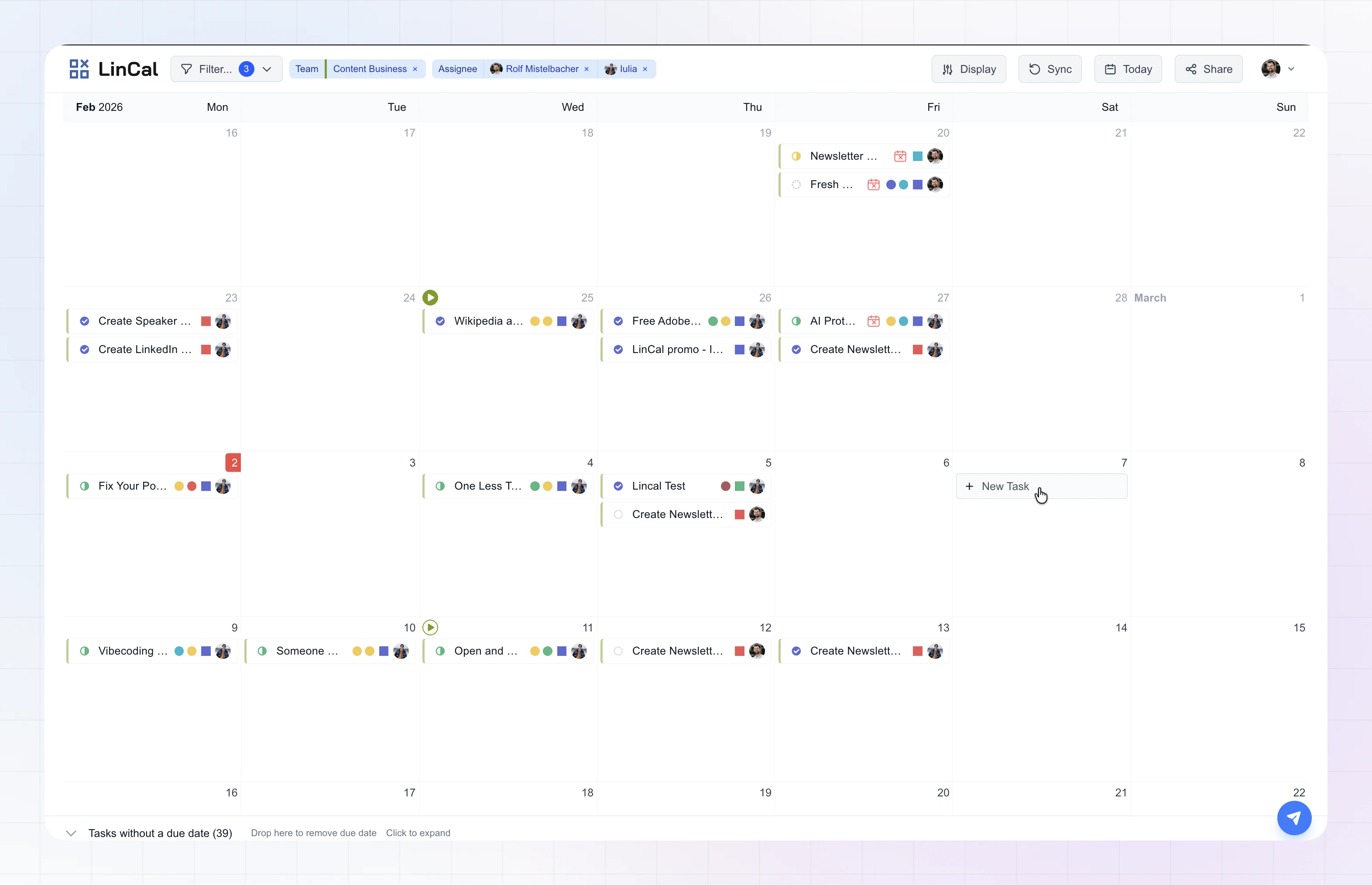
Month view
Month view stacks calendar rows vertically so you can scan many weeks at once.- Scroll (or trackpad) to move up and down through the calendar.
- Each day shows up to four issues directly. If there are more, use “x more” to open the full list for that day.
- The header’s month label updates as you move through the calendar.
Week view
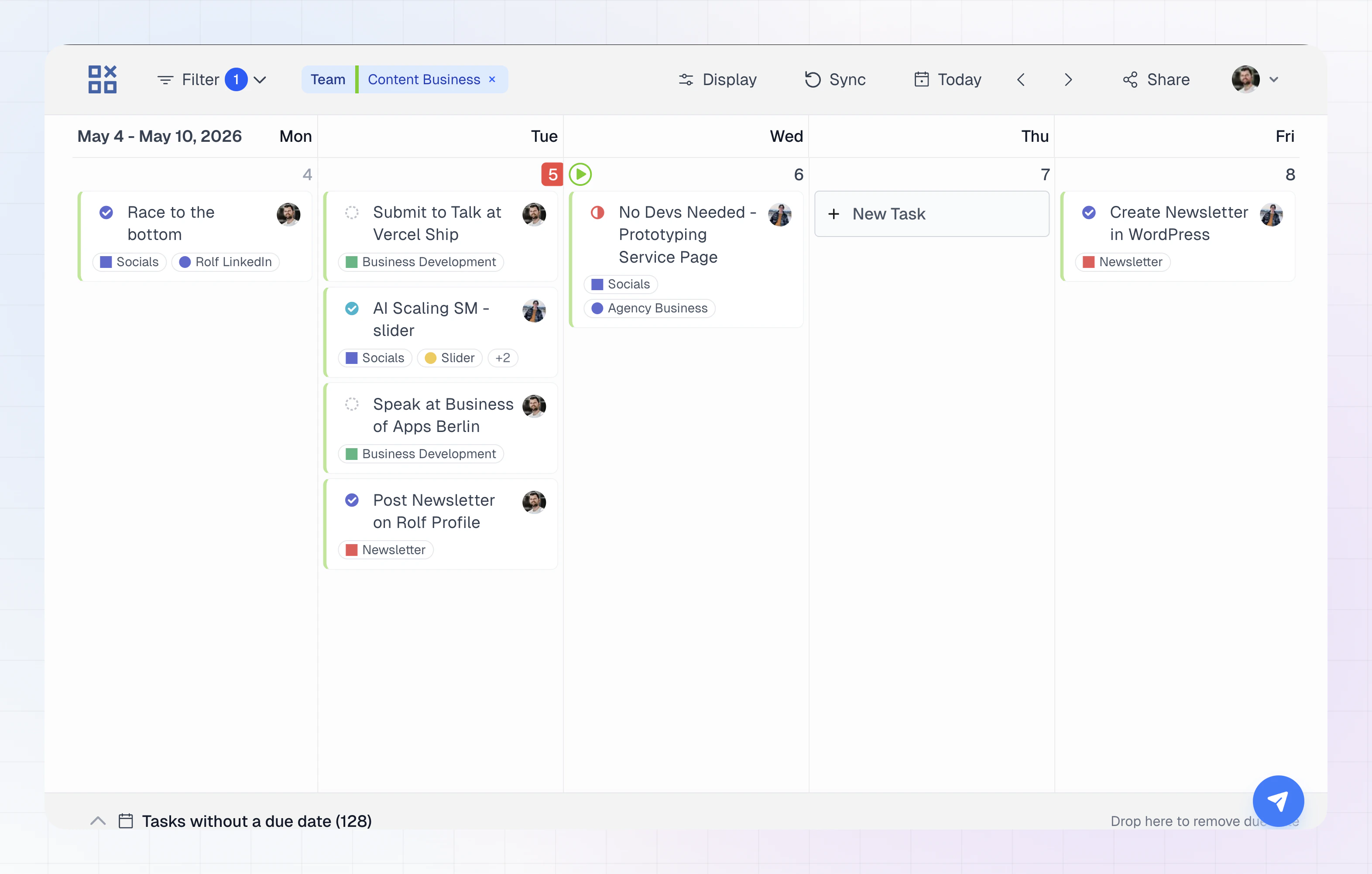
- Scroll horizontally (or use the toolbar arrows) to move to the previous or next week.
- All issues for a day are listed in the column—there is no four-issue cap.
- Task cards are taller and show more information in text where month view uses compact icons or dots—for example project name and label names as chips (subject to your Display settings).
- Overdue issues show a clearer on-card label in week view (for example how long they’re overdue).
Switch between month and week
From the UI- Open Display in the top bar.
- Under Calendar view, choose Month or Week.
- M — month view
- W — week view
Move through the calendar
Today- Click Today in the toolbar, or press T.
- In month view, the arrows move the calendar one screen vertically (same idea as paging up/down).
- In week view, the arrows move one week left or right.
Top bar reminders
Alongside Display, the top bar includes Filter, Sync, Today, Share, and your account menu—so you can narrow issues, refresh from Linear, jump to this week, or share your current setup.Task cards and Display options
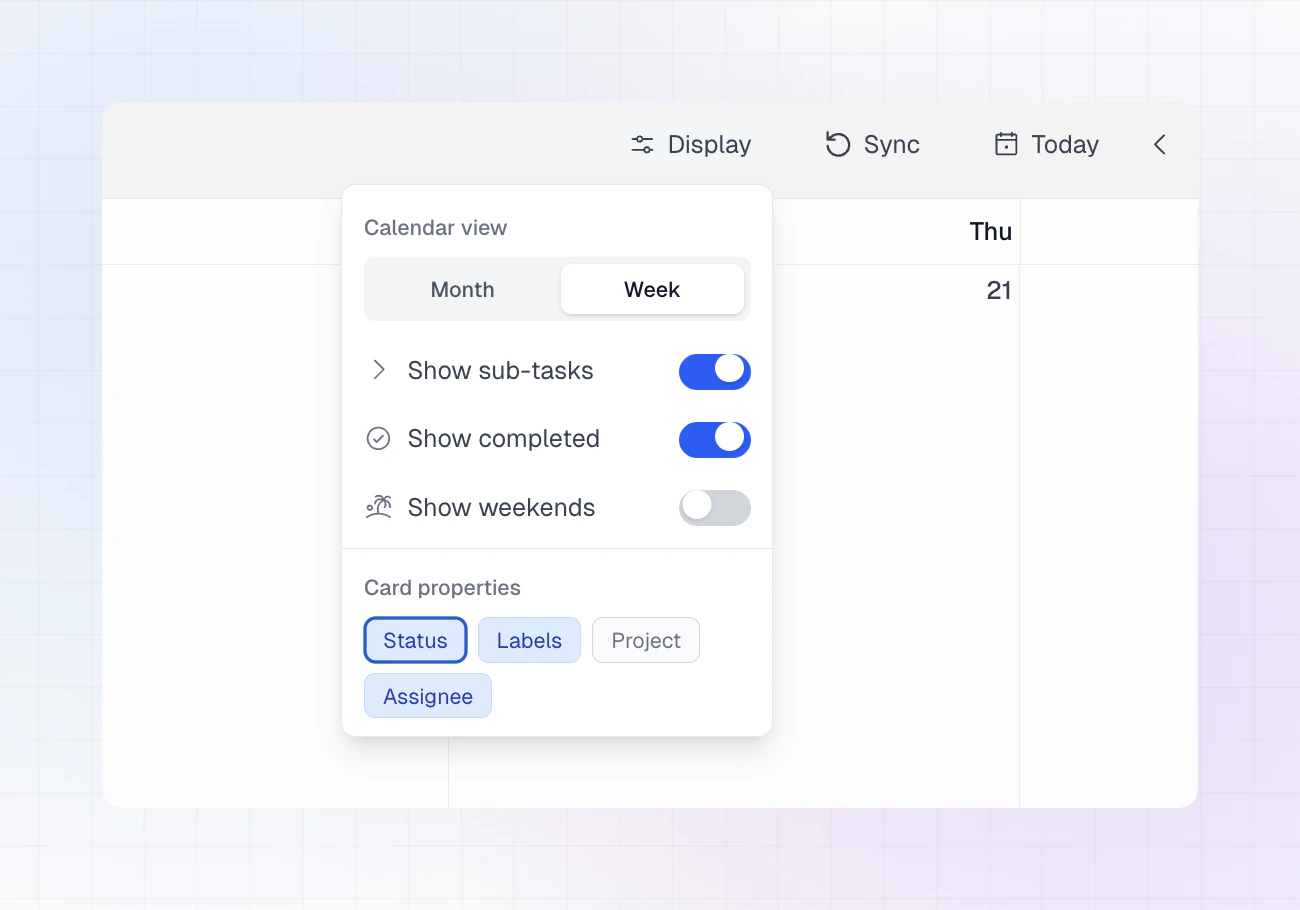
- toggles such as status, labels, project, and assignee apply in both views;
- month view keeps cards compact (often icons or small dots);
- week view uses more written detail on the card when those options are on.