

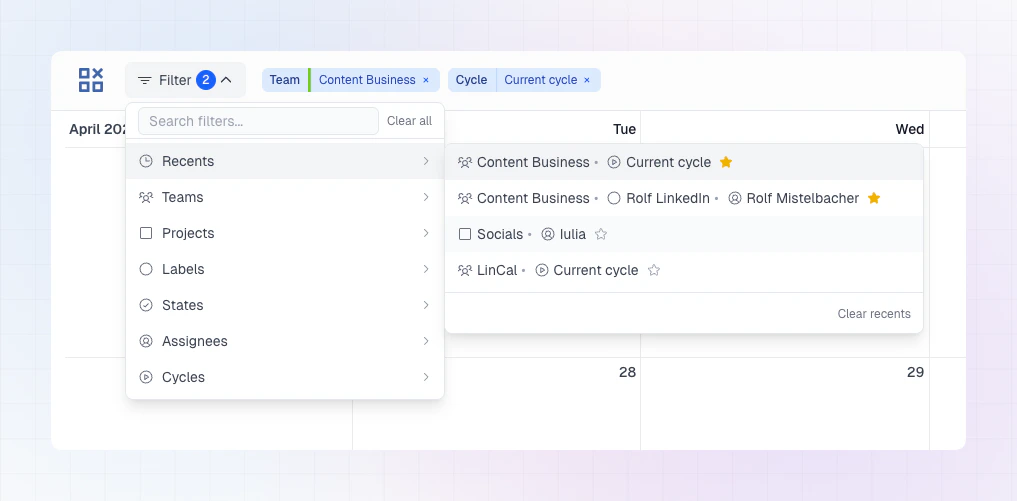
Reuse a recent filter combination
- Open Filter.
- Go to Recents.
- Select a saved combination to apply it instantly.
Star a combination
- Apply the filters you want.
- In the filter list, click the star icon on that combination.
- It appears in your favorites so it is always easy to access.
Notes
- Recents help you jump back into work without rebuilding filters.
- Favorites are best for views you use every day.
- If no filters are set, LinCal defaults to showing work from your own teams.