

Open filters
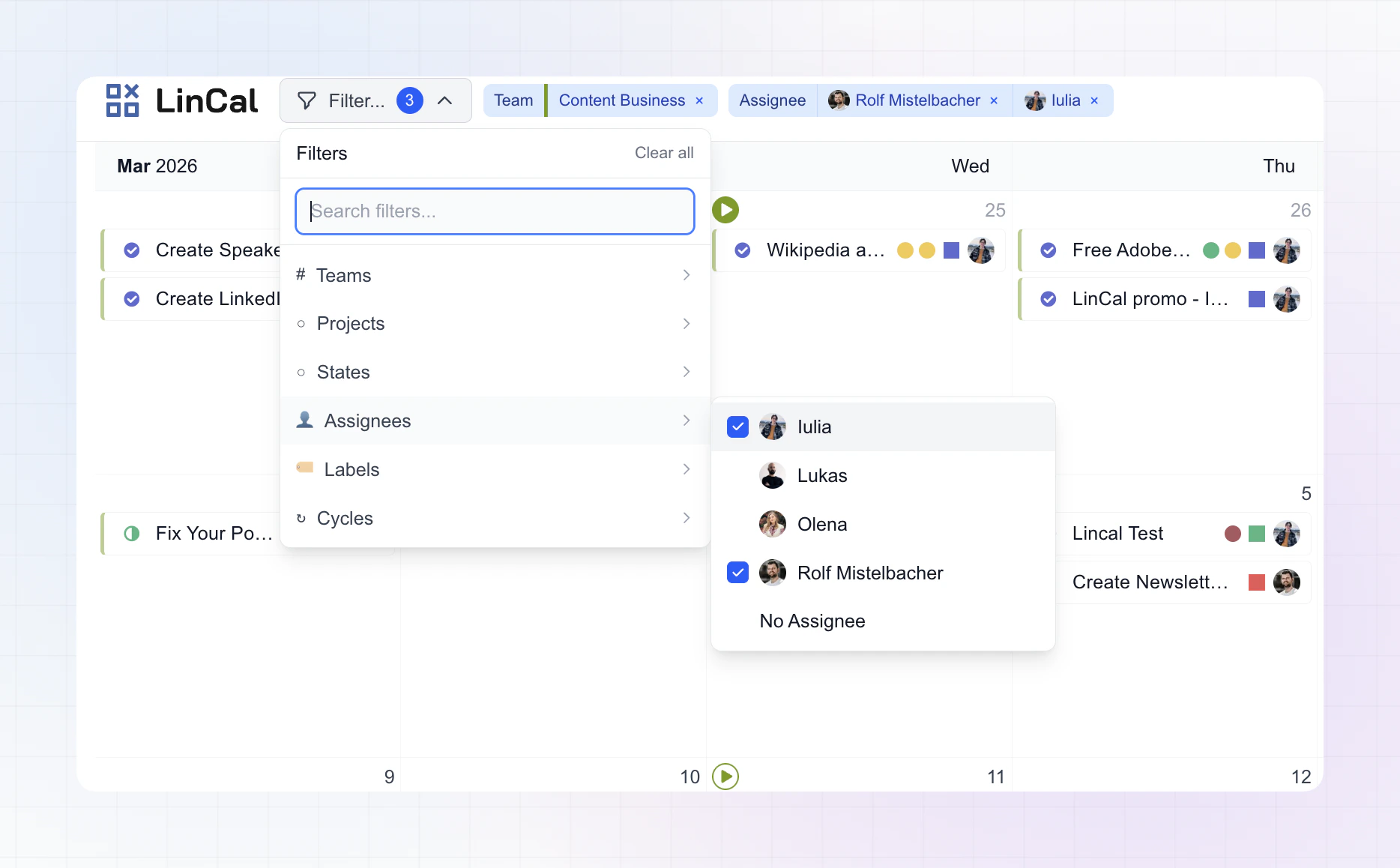
- Click Filter… in the top bar.
- Use ⌘K (or Ctrl+K) to open filters quickly.
- Use the search field to find filter options fast.
Available filter types
You can filter by:- Teams
- Projects
- States
- Assignees
- Labels
- Cycles
Notes
- Team options are grouped into Your teams and Other teams.
- Label filters support grouped labels and No Label.
- Assignee and project filters include No Assignee and No Project options where relevant.
- Cycle filters include semantic options like Current and Upcoming when available.
Manage active filters
- Active filters appear as chips next to the filter button.
- Remove a single filter value with the x on its chip.
- Click Clear all inside the filter menu to reset everything.
While filtering
- The calendar updates immediately as you select options.
- Hovering a filter chip highlights matching cards and dims non-matching cards.
- Selected filters are remembered for your account/workspace, so your view stays consistent between sessions.