

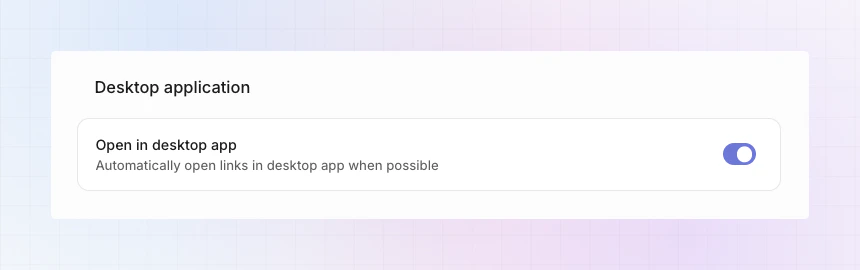
Enable in Linear
- Open linear.app in your browser.
- Go to Settings.
- Open General preferences.
- Scroll to Desktop application.
- Turn on Open in desktop app.
What to expect
- When enabled, issue links from LinCal open in the Linear desktop app.
- If the desktop app is not installed or not available, links open in the browser.
- This behavior is controlled by Linear’s setting, not a separate LinCal toggle.
Troubleshooting
- Make sure you are signed into the same workspace in both LinCal and the Linear desktop app.
- Confirm Open in desktop app is enabled in Linear settings.
- If links still open in browser, restart the Linear desktop app and try again.